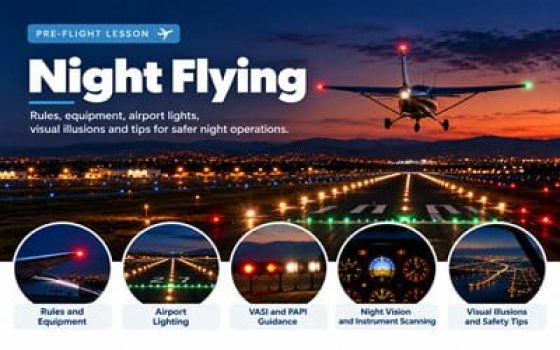

In this lesson, you will learn the principles of night flying, understand the requirements for operating after dark, and identify the aircraft and airport lighting systems used during nighttime operations. You will explore runway lighting, approach slope indicators, pilot-controlled lighting, night vision, and visual illusions that can affect a pilot's perception of attitude, height and distance. You will also learn how to prepare for and manage the additional challenges of nighttime takeoffs, navigation, approaches and landings.
Understand what night means and how flying changes after dark
Night flying is not defined by darkness alone. Aviation regulations distinguish between civil twilight, sunset and sunrise, and specific nighttime operating periods. Understanding these differences is essential before examining airport lighting, night vision, and flight procedures.
What is the official definition of night?
Under FAA regulations (14 CFR 1.1), night is the period between the end of evening civil twilight and the beginning of morning civil twilight, as published in the Air Almanac and converted to local time.
Civil Dawn
In the morning, civil twilight begins when the centre of the Sun's disc is 6° below the horizon and is ascending, and ends at sunrise, approximately 25 minutes later.
Civil Dusk
In the evening, civil twilight begins at sunset and ends when the centre of the Sun's disc is 6° below the horizon and is descending, approximately 25 minutes later.
Important: The 25-minute duration is an approximation, not a fixed rule. Civil twilight varies with latitude and season. Pilots should consult the published twilight times for their location and date.
Three FAA night periods to remember
Although civil twilight defines the beginning and end of regulatory night, other aviation requirements use different time periods.
The general FAA definition of night, used when applicable regulations refer to nighttime operations.
Lighted aircraft position lights are required during this period, subject to the specific Alaska provision in the regulation.
This period is used for the three takeoffs and three full-stop landings required within the preceding 90 days to carry passengers at night.
Remember: The definition of night, the period for aircraft position lights, and the period for night passenger currency are not interchangeable. Always apply the time period specified by the relevant regulation.
Beyond the regulatory definitions, night flying changes the visual environment in which pilots operate. Familiar landmarks may disappear, runway lights can be difficult to interpret, and reduced external references can make aircraft attitude, height and distance harder to judge. Understanding these challenges helps pilots maintain situational awareness and make safer decisions throughout a night flight.
Learn to recognize runway edge, threshold and centerline lights, understand their colors, and interpret approach lighting and pilot-controlled lighting systems.
Explore dark adaptation, peripheral vision and the limitations of human eyesight in low-light conditions, including the effects of glare and cockpit lighting.
Understand how black-hole approaches, runway slopes, false horizons and isolated lights can distort the perception of altitude, distance and aircraft attitude.
Learn how to prepare the aircraft and route, review lighting and equipment requirements, plan suitable alternatives, and manage the additional risks associated with night operations.
Night VFR Requirements and Required Equipment
Before flying at night, a pilot must confirm that the aircraft is properly equipped, that weather conditions meet the applicable night VFR requirements, and that sufficient fuel is available for the planned flight and required reserve.
In the United States, FAA regulations establish the minimum legal requirements. These minimums provide a starting point, but safe night flying also depends on aircraft condition, pilot proficiency, available visual references, terrain, weather, and suitable landing options.
FAA Required Equipment for Night VFR Flight
For powered civil aircraft with a standard U.S. airworthiness certificate, 14 CFR 91.205(c) specifies the additional equipment needed for night VFR operations. All equipment required for day VFR flight under 14 CFR 91.205(b) must also be available.
Day VFR equipment still applies
Basic instruments such as the airspeed indicator, altimeter, magnetic direction indicator, appropriate engine instruments, and fuel quantity indicators remain required as applicable to the aircraft. Night VFR requirements are added to this existing equipment list; they do not replace it.
Approved Position Lights
Aircraft must have approved position lights. These normally include a red light on the left, a green light on the right, and a white light facing aft. Their arrangement helps other pilots recognize the aircraft's orientation.
Approved Anti-Collision Lights
U.S.-registered civil aircraft must have an approved aviation red or aviation white anti-collision light system, subject to the regulatory provisions for the system. Beacons and strobes increase the aircraft's visibility to others.
Electric Landing Light
FAA regulations require an electric landing light for an aircraft operated for hire. A landing light is also valuable during nighttime taxi, takeoff, approach, and landing, even when the regulation does not specifically require one for a particular flight.
Adequate Electrical Power
An adequate source of electrical energy is required for installed electrical and radio equipment. During preflight, check the aircraft's electrical system, battery condition, and any applicable alternator indications.
Spare Fuses
The regulation specifies one spare set of fuses or three spare fuses of each required kind, accessible to the pilot during flight. This applies to aircraft using replaceable fuses; circuit-breaker installations should not be confused with removable fuses.
Serviceable Required Equipment
Required instruments and equipment must be operable, subject to applicable rules governing inoperative equipment. Always check the aircraft's AFM/POH, equipment list, limitations, and any applicable minimum equipment list before flight.
Important distinction: The FAA does not require every night VFR aircraft to have the complete instrument package required for IFR. Additional instruments or equipment may nevertheless be required by the aircraft's certification, operating limitations, airspace, or particular flight operation.
Night VFR Visibility and Cloud Clearance
Night VFR weather requirements depend on the airspace classification, altitude, and type of operation. Under 14 CFR 91.155, a pilot must maintain the prescribed flight visibility and distance from clouds.
Typical Visibility Minimum
3 SMThree statute miles of flight visibility are required in Class B, C, D, and E airspace below 10,000 feet MSL. This is also the usual night VFR visibility requirement for airplanes in Class G airspace below 10,000 feet MSL, subject to specific exceptions.
Typical Cloud Clearance
500 / 1,000 / 2,000For Class C, D, and E airspace below 10,000 feet MSL, standard cloud clearances are:
Class B requires remaining clear of clouds. Other altitude and airspace situations have different requirements.
Do not treat 3 SM as a universal minimum. Higher altitudes have different limits, and limited exceptions exist for certain Class G airport-pattern operations. Always consult the complete 14 CFR 91.155 weather-minimum table for the specific flight.
Legal VFR visibility does not necessarily provide comfortable conditions at night. Dark terrain, haze, precipitation, clouds, and limited ground lighting may significantly reduce usable visual references even when the reported visibility meets regulatory minimums.
Night VFR Fuel Reserve Requirements
Under 14 CFR 91.151(a), an airplane operating under VFR must carry sufficient fuel to reach the first point of intended landing, considering wind and forecast weather, and then continue at normal cruising speed for the required reserve period.
Minimum fuel remaining after reaching the first intended landing point, based on normal cruising speed.
Example: Calculate the Minimum Night VFR Reserve
Suppose a training airplane burns 8 gallons per hour at normal cruise. The minimum 45-minute night VFR reserve is:
In this example, the airplane must have enough fuel for the planned flight to the first intended landing point, plus at least 6 gallons for the regulatory night VFR reserve. Taxi, climb, wind, and other relevant fuel needs must be accounted for in the overall plan.
Practical planning: A 45-minute legal reserve is a minimum, not an ideal target. Plan additional fuel when practical to allow for stronger headwinds, unexpected delays, diversions, and limited nighttime landing options.
Additional Equipment for Safer Night Flying
Regulations establish the legal baseline, but several items are particularly useful during night operations. These should be considered alongside the specific aircraft equipment requirements and operating limitations.
Carry an accessible flashlight and preferably a backup. Check their operation before flight. Use lighting that allows instruments and charts to be read without creating excessive glare.
Have a reliable means of keeping time, appropriate navigation charts or an EFB, and a backup navigation plan if electronic equipment fails.
Verify that instrument displays, panel lighting, and dimmers work correctly. Adjust brightness so instruments remain readable without obscuring outside vision.
Confirm the radio equipment needed for the planned airspace, identify suitable airports along the route, and verify available runway lighting and operating hours.
Being legal does not automatically mean being ready
Before a night flight, verify that the aircraft is properly equipped, the weather permits safe VFR flight, and the fuel plan includes an adequate reserve. Then evaluate the additional risks created by darkness, terrain, reduced visual references, and limited landing alternatives.
Aircraft Lights for Night Flying
Aircraft lights help pilots identify other aircraft, recognize their orientation, and improve visibility during nighttime ground and flight operations. Different lights serve different purposes: some show the aircraft's direction, while others make it more conspicuous or illuminate the area ahead.
For a student pilot, it is important to distinguish between position lights, anti-collision lights, taxi lights, and landing lights. Understanding when to use each system is part of safe night flying.
Aircraft Position Lights: Red, Green and White
Aircraft position lights, also called navigation lights, indicate an aircraft's orientation. Their conventional arrangement is red on the aircraft's left side, green on its right side, and white facing rearward.
Aircraft Position Lights — Top View
Located on the left (port) side of the aircraft.
Located on the right (starboard) side of the aircraft.
Faces rearward and helps identify the aircraft from behind.
Beacon, Strobe, Taxi and Landing Lights
In addition to position lights, most training aircraft have other exterior lights that perform specific functions. The exact configuration depends on the aircraft model and installed equipment.
Rotating or Flashing Beacon
A beacon is commonly a flashing or rotating red light mounted on the fuselage or tail. It helps make the aircraft visible and can warn nearby personnel that aircraft operations or engine activity may be underway. A beacon may form part of the certified anti-collision light system.
Strobe Lights
Strobes produce bright white flashes that improve aircraft conspicuity. They are often installed near the wingtips and sometimes the tail. Some aircraft use strobes as part of their approved anti-collision system, while others have a separate beacon and strobe installation.
Taxi Lights
Taxi lights are typically white forward-facing lights that illuminate the ground during taxiing. They help the pilot identify taxiway markings, obstacles, and the route ahead. A taxi light also makes a moving aircraft more noticeable to other pilots and ground personnel.
Landing Lights
Landing lights produce a brighter forward-directed white beam. They help illuminate the runway during takeoff and landing and improve the aircraft's visibility to other traffic. They are useful in reduced visibility and near airports during both day and night operations.
Beacon versus strobe: Both may serve an anti-collision function. Do not assume that all aircraft have separate mandatory red beacons and white strobes. The approved system and its operating procedures depend on the aircraft installation and applicable requirements.
How to Interpret Aircraft Lights at Night
Position lights can provide useful clues about another aircraft's orientation. However, the visible combination depends on the viewing angle, distance, and lighting conditions.
Viewing the Left Side
Seeing the red position light suggests that you are viewing the aircraft from its left side or forward-left sector. Its precise heading cannot be determined from this light alone.
Viewing the Right Side
Seeing the green position light suggests that you are viewing the aircraft from its right side or forward-right sector. Continue monitoring its movement relative to your aircraft.
Viewing the Rear
A rearward-facing white position light generally indicates that you are observing the aircraft from behind. Use other visual and traffic information to assess its relative motion.
Potential collision course: When both red and green forward-facing lights are visible, another aircraft may be approaching you. A light that remains at nearly the same relative bearing while becoming brighter can also indicate a collision risk. Never rely on light colors alone to determine separation or right-of-way.
When Should Pilots Use Aircraft Lights?
Regulations specify certain lighting requirements, while the FAA also recommends operating practices to improve visibility and reduce collision risks. The following examples reflect FAA guidance for typical operations, not a universal switch-by-switch checklist for every airplane.
| Flight Phase | Recommended Lighting Practice |
|---|---|
| Engine Start | Use the beacon or appropriate anti-collision lights in accordance with the aircraft checklist and operating limitations. A beacon can help warn others that engine activity is underway. |
| Taxi | Use position lights and appropriate anti-collision lighting. Consider using the taxi light while moving and switching it off when stopped or yielding. Avoid strobes that create hazardous glare for others. |
| Runway Crossing | At the pilot's discretion, illuminate available exterior lights to increase visibility, while considering glare, nearby aircraft, and equipment limitations. |
| Line Up and Takeoff | Make the aircraft conspicuous with appropriate exterior lights. FAA guidance recommends switching on the landing light after takeoff clearance or when beginning the takeoff roll at an airport without an operating tower. |
| En Route | Continue operating the lights required for the conditions. The FAA encourages landing light use below 10,000 feet, especially within 10 NM of airports, when appropriate and consistent with aircraft limitations. |
| Approach and Landing | Use appropriate exterior lighting to improve visibility. Landing lights may help illuminate the runway and support the landing, subject to the aircraft's procedures and operating conditions. |
FAA guidance: Aeronautical Information Manual, Use of Aircraft Lights .
Glare and reflections: Strobe and anti-collision lights can interfere with other pilots' vision on the ground and may create distracting reflections in cloud or precipitation. Under 14 CFR 91.209(b), the pilot in command may switch off anti-collision lights when operating conditions make this necessary in the interest of safety.
Know what each light communicates
Red, green, and white position lights help other pilots recognize an aircraft's orientation. Beacons and strobes improve conspicuity. Taxi and landing lights illuminate the operating area and help other traffic see the aircraft. Use each system in accordance with applicable regulations, the aircraft's checklist, and the surrounding conditions.
Airport and Runway Lights: Colors and Meanings
Airport and runway lights help pilots locate an airport, distinguish runways from taxiways, identify runway boundaries, and maintain orientation during nighttime operations. Understanding their colors is especially important when the surrounding terrain offers few visual references.
Runway lights are not all the same color. Different colors communicate different information, and some lighting systems change color as the aircraft approaches the end of the runway.
What Color Are Runway Edge Lights?
Runway edge lights are normally white. They form two rows along the runway edges, helping pilots recognize the runway's lateral boundaries during darkness or reduced visibility.
On instrument runways, however, yellow replaces white on the last 2,000 feet of the runway, or the last half of the runway, whichever distance is shorter. This creates a caution zone for landing aircraft approaching the runway end.
White Runway Edge Lights
White lights outline the usable runway edges and help pilots remain aligned with the runway during takeoff, landing and ground operations.
Yellow Runway Edge Lights
On instrument runways equipped with this color-coding, yellow lights warn that the aircraft is approaching the departure end of the runway when viewed in the landing direction.
Runway Lighting Colors — Simplified Top View
Runway Lighting — Night Perspective
Runway Centerline Lights: White, Red and White, Then Red
Some precision approach runways have a Runway Centerline Lighting System (RCLS). These in-pavement lights help pilots maintain alignment during landing and indicate the approximate runway distance remaining.
Under the FAA system, centerline lights are normally spaced at 50-foot intervals. Their colors change as follows, when viewed from the landing threshold:
Steady white lights
Alternating red and white lights
All red lights
Important: Runway centerline lights and runway edge lights do not change color at the same point. Centerline lights begin changing at 3,000 feet remaining, while the edge-light caution zone on instrument runways extends 2,000 feet or half the runway length, whichever is less.
Green Threshold Lights, Red Runway End Lights and REILs
The lights at the beginning and end of a runway serve different purposes. The color seen by a pilot can depend on the direction from which the light is viewed.
Green Threshold Lights
Green lights identify the landing threshold when viewed from the approach direction. They help pilots locate the beginning of the runway available for landing.
Red Runway End Lights
Red lights face toward the runway and identify its end to aircraft moving toward it. They are an important visual indication of the runway boundary.
Flashing White REILs
Runway End Identifier Lights (REILs) are two synchronized flashing white lights positioned on either side of the threshold. They make the approach end easier to identify.
Do not confuse runway end lights with REILs. Runway end lights indicate the physical runway end using red light in the appropriate direction. REILs are separate flashing white lights used to help identify the approach threshold.
Taxiway Lights: Blue Edges and Green Centerlines
Airport lighting also helps pilots distinguish taxiways from runways during ground operations. Knowing these colors is particularly useful when taxiing at an unfamiliar airport after dark.
Blue Taxiway Edge Lights
Blue lights outline the edges of taxiways. They help pilots identify taxiway boundaries when ground visibility is reduced.
Green Taxiway Centerline Lights
Where installed, steady green lights guide aircraft along the taxiway centerline. Near runway entrances and exits, some lead-on and lead-off lights alternate green and yellow.
Yellow Runway Guard Lights
Runway guard lights highlight a taxiway/runway intersection. They may consist of two elevated flashing yellow lights or in-pavement yellow lights across the taxiway.
Red Stop Bar Lights
At certain airports, illuminated red stop bars are installed at runway holding positions. Never cross an illuminated red stop bar, even if an ATC clearance has been issued. Contact ATC for clarification.
Airport Beacons, Touchdown Zone Lights and Approach Lights
Several other lighting systems provide useful information about an airport and its runways. The equipment installed varies with the airport's size, runway configuration and operating needs.
Airport Beacon
A typical U.S. lighted civilian land airport beacon alternates white and green. Other combinations identify water airports and heliports. A beacon can help pilots locate an airport at night.
Touchdown Zone Lights
TDZL are steady white lights arranged in transverse bars on both sides of the runway centerline. They identify the touchdown zone on certain precision approach runways.
Approach Lighting Systems
Approach Lighting Systems (ALS) extend outward from the runway threshold and help pilots transition toward visual references during approach. Configurations vary and may include sequenced flashes.
Preflight planning: Not every airport has runway centerline lighting, touchdown zone lights, approach lights, or an illuminated taxiway centerline. Check the airport's published information and NOTAMs before flight. The activation and intensity control of airport lights will be covered in the next chapter.
Airport lights communicate position, direction and runway distance
For night flying, recognize the difference between white or yellow runway edge lights, red and white centerline lights, green threshold lights, red runway end lights, and blue or green taxiway lights. These cues help maintain orientation, but they must be interpreted alongside airport information, markings, procedures and ATC instructions.
Pilot-Controlled Lighting: PCL and ARCAL
At some airports, runway and approach lights are not continuously illuminated throughout the night. Instead, pilots can activate selected lighting systems using the aircraft's radio. This is known as Pilot-Controlled Lighting (PCL). In Canada, the corresponding system is commonly called ARCAL (Aircraft Radio Control of Aerodrome Lighting).
Pilot-controlled lighting is especially useful at airports without an operating control tower, or when a part-time tower or flight service facility is closed. It allows lighting to be available when needed without requiring the airport to keep every light on throughout the night.
How Do Pilots Activate Airport Lights by Radio?
A pilot-controlled lighting system contains a radio receiver connected to the airport's lighting controls. When the receiver detects the correct series of radio transmissions, it activates the associated lighting equipment.
The pilot sends the command by briefly pressing and releasing the radio push-to-talk (PTT) switch several times within a short period. The correct sequence depends on the installed system.
Find the Published Frequency
Check the airport's published information before flight. The lighting-control frequency is often the Common Traffic Advisory Frequency (CTAF), but another frequency may be specified.
Tune the Aircraft Radio
Select the correct frequency on an operating communication radio. Make sure the radio is selected for transmission and that the published lighting system is available.
Key the Microphone
Press and release the PTT switch the specified number of times, normally within five seconds. Each brief press produces a radio transmission that the receiver can count.
Verify the Lights and Timing
Confirm that the required lights have illuminated and assess whether their intensity is appropriate. Standard FAA systems normally provide a 15-minute activation period, which can be restarted by another recognized keying sequence.
Where to find the frequency: For a U.S. public-use airport with a standard FAA system, consult the FAA Chart Supplement and, when applicable, the published instrument approach chart. The lighting frequency is not identified on the VFR sectional chart.
FAA Pilot-Controlled Lighting: 7, 5 and 3 Clicks
Under the standard FAA system, pilots use different numbers of microphone clicks to activate the lighting or select an available intensity setting.
The FAA recommends initially keying the microphone seven times within five seconds. This activates the controlled lighting at the highest intensity available. When supported by the installation, the pilot may then select a lower setting.
Pilot-Controlled Lighting — Radio Commands
Standard FAA microphone sequences
Within 5 seconds for each sequence • 15 minutes of lighting from the most recent activation
Low, Medium and High
A three-step lighting system may respond to all three commands: 3 clicks for low, 5 for medium, and 7 for high. Pilots can adjust brightness to suit visibility conditions.
Limited Intensity Choices
Some facilities provide only two brightness levels. Consequently, five clicks do not necessarily produce a distinct medium setting. The response follows the specific installation.
Lights On or Off
A one-step system has no selectable brightness range. A recognized activation sequence switches the relevant lighting on, but lower-intensity commands cannot create additional brightness settings.
Different Systems May Respond Differently
Runway edge lights, approach lights, taxiway lights, VASI and Runway End Identifier Lights (REILs) may be connected to the radio-control installation. Not every component necessarily responds to intensity commands in the same way.
Important FAA exception: Where both approach lighting and runway lighting are installed, the approach lighting system may take precedence for radio control while runway lighting operates at a predetermined intensity. Some REIL systems can also be switched off using a specified lower-click command. Always use the published installation information rather than assuming that every set of lights follows an identical pattern.
ARCAL Type J and Type K: What Is the Difference?
In Canada, radio-controlled aerodrome lighting is commonly identified as ARCAL. The two standard types described in the Canada Flight Supplement (CFS) are Type J and Type K. Both typically illuminate the associated lights for approximately 15 minutes, but their activation and intensity controls differ.
Simple Lighting Activation
Key the microphone five times within five seconds to activate the associated aerodrome lights.
The lights normally remain illuminated for approximately 15 minutes. Repeating the sequence restarts the timing cycle.
Type J is a simpler activation system without the selectable three-level brightness control provided by Type K.
Activation and Intensity Control
Initially key the microphone seven times within five seconds to activate the aerodrome lighting at maximum intensity.
Brightness may then be adjusted using 7 clicks for high, 5 for medium, or 3 for low, within five seconds.
The approximately 15-minute lighting period can be restarted by repeating the specified activation sequence.
Canadian-specific detail: Where Type K ARCAL also controls runway threshold identification lights identified by code AS, keying the microphone three times may extinguish those identification lights. Consult the current CFS for the aerodrome's exact lighting codes, frequency and operating procedure.
Using Pilot-Controlled Lighting During an Approach
The practical objective is not simply to switch the airport lights on. The pilot must ensure that the correct lights are available, remain illuminated throughout the approach and landing, and provide adequate visual guidance.
Review runway availability, lighting equipment, published operating hours, NOTAMs, the activation frequency, and the type of PCL or ARCAL installation at your destination.
Tune the published lighting-control frequency at an appropriate distance. Do not assume that it is the same as the CTAF or the frequency used for all traffic communications.
For a standard FAA PCL installation, start with seven microphone clicks within five seconds. For Canadian ARCAL, follow the published Type J or Type K procedure.
Identify the intended runway, evaluate the visible lighting, and verify that you have adequate references for the approach. Use the airport diagram, published procedures and navigation equipment as appropriate.
Re-key the appropriate sequence when beginning the approach, even if the lights are already illuminated. This helps ensure that the full lighting period remains available during the approach and landing.
If the expected lights do not activate, verify the frequency, radio selection, proximity and published instructions, while maintaining safe flight. Do not continue an approach without the visual references needed to complete it safely. Go around or divert if necessary.
Important Night Flying Precautions
Limited radio range: A distant aircraft may not activate the lights because some receivers are set to respond only to relatively nearby transmissions. No response from far away does not necessarily indicate a failure.
Shared frequency: Several nearby airports may use the same radio frequency. Avoid relying on the appearance of distant lights alone to confirm the correct airport.
No landing clearance: Activating runway lights is not an ATC clearance and does not establish priority over other traffic. Continue the normal communications, traffic scanning and airport procedures.
Remember the sequence, frequency and 15-minute timer
For standard FAA pilot-controlled lighting, begin with 7 microphone clicks within 5 seconds to select the highest available intensity. Where supported, 5 clicks select a lower or medium setting and 3 clicks select the lowest available setting. In Canada, ARCAL Type J uses 5 clicks, while Type K initially uses 7 clicks. Always verify the published airport instructions and restart the lighting timer during the approach.
VASI, PAPI and ATC Light Gun Signals
During a night approach, pilots must judge not only the runway's position but also the aircraft's height and descent angle. Darkness can make these judgments difficult, particularly when terrain features and surrounding lights provide few reliable visual cues.
VASI and PAPI systems provide visual glide path guidance using combinations of red and white lights. Separately, ATC light gun signals allow a control tower to communicate basic instructions when radio communication cannot be established.
VASI: Understanding the Red and White Light Indications
VASI stands for Visual Approach Slope Indicator. It is a system of light units arranged beside a runway to provide visual information about the aircraft's vertical position relative to a predetermined approach path.
Most VASI installations use two bars: a near bar and a far bar. Each unit projects white light above its transition angle and red light below it. The combination seen by the pilot indicates whether the aircraft is above, on or below the glide path.
Two-Bar VASI — Visual Glide Path Indications
Both bars appear white. The aircraft is above the visual glide path.
The far bar appears red and the near bar white. The aircraft is on the visual glide path.
Both bars appear red. The aircraft is below the visual glide path.
Typical VASI angle: A two-bar VASI normally provides a visual glide path of approximately 3 degrees. However, the angle can be higher at airports where obstacle clearance or other local conditions require it. Check published airport information.
Why Do Some Airports Have a Three-Bar VASI?
A standard two-bar VASI provides one visual approach path. A three-bar VASI provides two visual paths, using near, middle and far bars.
Near and Middle Bars
The near and middle bars provide the lower visual glide path, normally set at approximately 3 degrees. This is the path intended for conventional low-cockpit aircraft operations.
Middle and Far Bars
The middle and far bars provide an upper path, normally approximately 0.25 degrees higher. This path is designed for high-cockpit aircraft requiring additional threshold crossing height.
Remember: The upper path of a three-bar VASI is intended for high-cockpit aircraft. Student pilots should not automatically select the upper path simply because it provides a higher approach.
PAPI: How to Read the Four-Light Glide Path Indicator
PAPI stands for Precision Approach Path Indicator. Unlike a conventional VASI with separate near and far bars, a PAPI places its light units in a single row, normally on the left side of the runway.
A standard four-light PAPI provides five distinct visual indications, from well above to well below the intended glide path. Each unit appears either red or white depending on the aircraft's approach angle.
PAPI — Approach Slope Indications
4 white lights
3 white, 1 red
2 white, 2 red
1 white, 3 red
4 red lights
What does two white and two red mean? On a standard four-light PAPI, two white lights and two red lights indicate that the aircraft is on the intended visual glide path. More white lights indicate a progressively higher position; more red lights indicate a progressively lower position.
Using VASI and PAPI Safely During Night Approaches
Visual glide path indicators are particularly valuable during night approaches over water, unlit terrain or other environments where runway lights provide most of the visible references. However, these systems have important limitations.
Glide Path, Not Runway Alignment
VASI and PAPI provide vertical guidance. They do not provide lateral course guidance. The pilot must establish and maintain alignment with the runway using suitable visual or navigation references.
Remain Within the Protected Area
The published visual glide path is designed to provide obstacle clearance within specified limits. Protection is not unlimited in distance or lateral extent, and local restrictions may reduce the usable area.
Consider Cockpit and Eye Height
Aircraft with different cockpit heights may have different wheel clearance while following the same visual approach path. Pilots should account for the aircraft's characteristics and applicable limitations.
Check the Airport Data
Verify the availability, location and approach angle of the visual glide path indicator. Be aware of possible outages, offsets and restrictions published in airport information or NOTAMs.
Important safety principle: The FAA advises that descent using a VASI or PAPI should not begin until the aircraft is visually aligned with the runway. These systems provide guidance only within their specified area of coverage.
A visual glide path indication does not replace proper approach planning, terrain awareness, runway identification, or compliance with published instrument procedures when applicable.
ATC Light Gun Signals: What Do the Colors Mean?
At an airport with an operating control tower, controllers may use an ATC light gun to communicate with aircraft when normal radio communication is unavailable.
The light gun emits a directed beam of red, green or white light. The meaning of each signal depends on whether it is steady or flashing and whether the aircraft is on the ground or in flight. Under U.S. regulations, the meanings are established by 14 CFR 91.125.
| Light Signal | Aircraft on the Ground | Aircraft in Flight |
|---|---|---|
| Steady Green | Cleared for takeoff | Cleared to land |
| Flashing Green | Cleared to taxi | Return for landing; a steady green signal will follow at the appropriate time |
| Steady Red | Stop | Give way to other aircraft and continue circling |
| Flashing Red | Taxi clear of the runway in use | Airport unsafe — do not land |
| Flashing White | Return to the starting point on the airport | Not applicable |
| Alternating Red and Green | Exercise extreme caution | Exercise extreme caution |
ATC Light Gun Signals — Visual Reference
How to Acknowledge a Light Signal at Night
At night, a pilot of a fixed-wing aircraft may acknowledge a tower light signal by blinking the landing or navigation lights, as described in the FAA AIM. This differs from the daytime practice of moving the ailerons or rudder on the ground, or rocking the wings in flight.
What If Radio Communication Fails?
If radio contact cannot be established at a tower-controlled airport, continue to maintain situational awareness, observe the tower for signals, and follow the applicable lost-communications procedures. At night, a pilot on the ground may use the landing light to attract tower attention while remaining clear of an active runway.
Remember: A steady green light is a takeoff clearance for an aircraft on the ground but a landing clearance for an aircraft in flight. A flashing green light permits taxiing on the ground but instructs an airborne aircraft to return for landing.
Read the lights, but understand their purpose
VASI and PAPI help a pilot judge vertical position on approach. For a two-bar VASI, red over white indicates the correct glide path. For a four-light PAPI, two white and two red indicate the correct glide path. ATC light gun signals, by contrast, communicate instructions from a control tower when radio communication is unavailable.
References: FAA AIM — Visual Glideslope Indicators and 14 CFR 91.125 — ATC Light Signals .
Night Vision and Dark Adaptation
Our eyes work well during the day, but seeing becomes more difficult when there is less light. During night flying, pilots may find it harder to see the ground, recognize colors, judge distances and identify other aircraft or obstacles.
To fly safely at night, pilots need to understand how their eyes work in darkness. This includes rods and cones, the night blind spot, dark adaptation, and the best ways to look for objects outside the aircraft.
Rods and Cones: How Do Pilots See at Night?
The back of the eye contains a light-sensitive layer called the retina. The retina has two main types of cells that detect light: cones and rods.
These cells work differently. Cones are best for seeing during the day, while rods are more useful when there is very little light.
Seeing Details and Colors
Cones are found mainly in the center of the retina, especially in a small area called the fovea. They work best when there is plenty of light.
Cones help us see small details and colors. During the day, we normally see an object best by looking directly at it.
Seeing Objects in Low Light
Rods are very sensitive to small amounts of light. Most rods are found away from the center of the retina.
Rods help us detect objects in darkness and notice movement to the side of our vision. However, they cannot show colors clearly, and the details are less sharp.
Night Vision — Visual Reference
Three types of vision: In daylight, we mainly use our cones (photopic vision). During twilight, both rods and cones help us see (mesopic vision). In very low light, we mainly use our rods (scotopic vision). As it gets darker, colors and small details become harder to see.
Why Should Pilots Use Off-Center Viewing at Night?
The center of the retina has very few rods. Because of this, a small light or object may be difficult to see when you look directly at it in very dark conditions.
This problem is called the night blind spot. According to the FAA, it affects approximately 5 to 10 degrees around the center of vision.
To see a small or dim object more easily, look slightly to one side of it, rather than directly at it. This is called off-center viewing.
Looking Directly at an Object
When you look directly at a very small or dim light, it may be difficult to see because the center of the retina has very few rods.
Looking Slightly to One Side
Look approximately 5 to 10 degrees to one side of the object. This allows the rods to detect more light, making the object easier to see.
Example: At night, you may notice a small aircraft light more easily when you look slightly beside it. Do not stare at the same point for a long time. Keep moving your eyes slowly from one area to another.
How Long Does Dark Adaptation Take?
Dark adaptation is the process that allows our eyes to see better after moving from a bright area into darkness.
This process takes time. Our eyes cannot see as well immediately after leaving a brightly lit room or cockpit. Cones adjust relatively quickly, but rods need much longer to become fully sensitive to low levels of light.
The FAA explains that pilots can develop a useful level of night vision after about 20 minutes in low red lighting. However, the eyes are not yet fully adapted to darkness.
The rods may need approximately 30 minutes in suitable dark conditions to reach their highest sensitivity. The time can vary depending on the person and recent exposure to bright light.
Bright Lights Can Reduce Night Vision
Bright cockpit lights, flashlights, landing lights from other aircraft and reflections on the windshield can quickly make it harder to see in darkness.
After looking at a strong light, your eyes may need more time to adjust to darkness again.
If you expect to see a very bright light, the FAA recommends closing one eye, when it is safe to do so. This can help protect the night vision in that eye. Never do this if it makes it harder to control the aircraft or watch for traffic.
How to Protect Night Vision in the Cockpit
Cockpit lights must be bright enough to read the instruments, charts and controls, but not so bright that they make it difficult to see outside.
The goal is simple: keep the instruments easy to read while protecting your night vision.
Adjust Screen and Panel Brightness
Reduce screen and instrument brightness to a comfortable level. You must still be able to read all instruments clearly.
Check the panel lights, radio displays, digital screens and dimmers before takeoff.
Use Only the Light You Need
Carry a flashlight and a spare if possible. Use it to read charts or check equipment, but avoid shining the light into your eyes or onto the windshield.
Choose a low brightness setting whenever it provides enough light.
Helpful for Night Vision
Low red lighting can help protect night vision. However, red light can change how colors appear and make some chart markings difficult to read.
Red lighting is useful, but it is not always the best choice for every task.
Useful for Reading Colors and Details
Low white lighting may be better when you need to read small details or see colors correctly on a chart or display.
Use only the brightness you need and reduce the light again when the task is finished.
FAA recommendation: Low red lighting can help protect night vision, but some charts and instruments are easier to read under low white lighting. Use the type of light that allows you to read information correctly and fly safely.
How Should Pilots Look for Objects at Night?
At night, pilots must look carefully for other aircraft, terrain, obstacles and ground lights. A quick look outside may not be enough to detect objects in very low light.
Good night scanning means moving your eyes through different areas, using off-center viewing when needed, and regularly checking the flight instruments.
Divide the outside view into small areas. Look at each area before moving to the next. Do not move your eyes too quickly.
If an object is difficult to see, look a little to one side of it. This helps the rods detect the object in low light.
Keep your eyes on each area for a short moment before moving on. This gives you time to notice small lights or objects.
Regularly check your attitude, altitude, heading and navigation instruments. These help you confirm what you see outside the aircraft.
When You Cannot See Enough Outside
During night VFR flight, you must have enough outside references to keep the aircraft under control and navigate safely.
Flying over dark water, forests or areas without ground lights can make it very difficult to see the natural horizon, even in clear weather.
If you can no longer rely on what you see outside, use your flight instruments to maintain control. Follow the procedures you have been trained to use, and take action before conditions become unsafe. Do not continue farther into poor VFR conditions.
What Can Reduce a Pilot's Night Vision?
Several factors can make night vision less effective. This can happen even when the pilot feels well and the weather appears suitable.
Altitude and Low Oxygen
At higher altitudes, less oxygen is available to the body. This can affect night vision before a pilot notices other signs of hypoxia (not enough oxygen).
The FAA explains that night vision may begin to become less effective at cabin pressure altitudes as low as 5,000 feet.
Fatigue, Illness and Medication
Being tired or sick can make it harder to see clearly and stay alert.
Alcohol, some medications and other substances can also affect your vision, judgment and ability to react.
Glare and Reflections
Strong lights outside the aircraft, bright instrument screens and reflections on the windshield can make it harder to see small objects in darkness.
Avoid unnecessary bright lighting, especially when looking outside during an approach.
Age and Eye Conditions
Night vision can become less effective with age. Some eye conditions can also make low-light vision more difficult.
Know your own vision limits and allow extra safety margins when flying at night.
Night Vision Can Be Affected Before Oxygen Is Required
The FAA recommends considering supplemental oxygen above 5,000 feet at night to help protect night vision.
This is a safety recommendation. It does not mean that oxygen is legally required above 5,000 feet.
The U.S. rules for required oxygen are found in 14 CFR 91.211. They depend on cabin pressure altitude and how long the aircraft remains at that altitude.
Protect Your Night Vision Before and During Flight
Cones help us see details and colors during the day. Rods help us see in darkness. Allow approximately 30 minutes for your eyes to fully adapt to dark conditions. Use off-center viewing to find objects that are hard to see, keep cockpit lighting low but readable, and avoid bright lights. Remember that altitude, fatigue and low oxygen can also affect night vision.
Night Flying Visual Illusions
During night flying, our eyes can sometimes give us the wrong information. A runway may appear closer, farther away, higher or lower than it really is. A fixed light may seem to move, and ground lights may look like the natural horizon.
These problems are called visual illusions. They can cause a pilot to make the wrong correction even when the aircraft is flying normally. Understanding these illusions is especially important during night approaches and landings.
Black-Hole Approach Illusion
A black-hole approach can happen when a pilot approaches a lighted runway over dark water, forests or land without visible ground lights.
In this situation, the runway lights may be the only things the pilot can clearly see. Without ground lights or a visible horizon, it becomes difficult to judge the aircraft's height and distance from the runway.
Why Is a Black-Hole Approach Dangerous?
The aircraft may appear to be higher than it really is. The pilot may then lower the approach without realizing that the aircraft is already too low.
Risk: Landing Short of the Runway
A low approach can bring the aircraft dangerously close to trees, terrain or other obstacles before reaching the runway.
How to avoid it: Use available PAPI or VASI guidance, maintain a normal approach path, and cross-check the flight instruments. If you cannot confirm your position or height, go around.
Bright Runway Lights and Dark Surroundings
The brightness of runway and approach lights can also change how a pilot judges distance. This is especially true when there are few other lights nearby.
The Runway Appears Closer
Very bright runway lights can make the runway appear closer than it really is. The pilot may feel that the aircraft is too close or too low and try to fly a higher approach.
Approach too high.
The Runway Appears Farther Away
When the land around the runway is very dark, the runway may seem farther away than it really is. The pilot may then lower the approach too much.
Approach too low.
Remember: Runway light brightness is not a reliable way to judge distance or height. Use the available approach guidance and keep checking your instruments.
Upsloping and Downsloping Runway Illusions
The slope of a runway can change how high or low an aircraft appears during final approach. These illusions can occur during the day, but they are especially difficult to recognize at night.
A Runway That Slopes Upward
When the runway slopes upward, away from the approaching aircraft, the pilot may think the aircraft is too high.
The pilot may respond by descending more than necessary.
Approach too low. Risk of landing short or hitting an obstacle.
A Runway That Slopes Downward
When the runway slopes downward, away from the approaching aircraft, the pilot may think the aircraft is too low.
The pilot may respond by flying higher than necessary.
Approach too high. Risk of landing farther down the runway.
Upslope and Downslope Runway Illusions
Before landing: Check the runway slope in the airport information. Do not change your normal approach path simply because the runway looks higher or lower than expected.
Narrow and Wide Runway Illusions
Pilots often learn to judge height by looking at a runway of a familiar width. When landing at an unfamiliar airport, a runway that is much narrower or wider may give a false impression of height.
A Runway Narrower Than Usual
A narrow runway may make the pilot feel that the aircraft is higher than it really is.
The pilot may lower the approach to try to correct the apparent height.
Approach too low. Risk of landing short.
A Runway Wider Than Usual
A wide runway may make the pilot feel that the aircraft is lower than it really is.
The pilot may keep the aircraft too high during the approach or landing.
Approach too high. Risk of a hard landing or landing too far down the runway.
Narrow and Wide Runway Illusions
Practical example: If you usually train on a 100-foot-wide runway, a 50-foot-wide runway may look much narrower during final approach. Your usual visual picture will change, even if your aircraft is on the correct approach path.
Ground Lighting Illusions and Distant Lights
At night, lights on the ground can sometimes look like airport lights, other aircraft or stars. This can make it difficult to identify the correct runway or understand your position.
Road Lights Mistaken for a Runway
A straight road with streetlights may look like a runway. Lights from moving vehicles or trains can also be confusing.
Always confirm the airport location, runway direction and runway lighting before starting the final approach.
Ground Lights Mistaken for Stars
Distant lights on hills or towers can sometimes look like stars or aircraft lights.
Use your navigation information and flight instruments to help confirm what you are seeing. Do not use an unknown light as your main flight reference.
False Horizon Illusion
A false horizon happens when a pilot mistakes another line for the real horizon. This can occur when the natural horizon is difficult or impossible to see.
For example, a line of lights on a hill, a sloping cloud layer or a line of stars may appear to show where the sky meets the ground.
Why Is a False Horizon Dangerous?
A pilot may try to keep the wings level with this false line. If the line is tilted, the pilot may unknowingly bank the aircraft.
How to avoid it: When the natural horizon is not clear, use the attitude indicator to confirm whether the wings are level. Do not try to keep the aircraft level using an uncertain line of ground lights.
Autokinesis: Why Can a Fixed Light Appear to Move?
Autokinesis is an illusion in which a fixed light appears to move when you look at it for too long in darkness.
Imagine seeing a single light in a completely dark sky. After several seconds, the light may seem to move even though it has not changed position.
A Stationary Light Looks Like It Is Moving
Without other visible objects nearby, your eyes may have trouble judging whether the light is moving.
The pilot may incorrectly believe that another aircraft is changing direction or moving closer.
Keep Scanning the Sky
Do not stare at one light for several seconds. Move your eyes through different areas of the sky.
Use other visual references and instruments before deciding that an object is moving.
Important: Never make a sudden flight-control movement simply because one distant light appears to move. Confirm what is happening before changing your flight path.
Vertigo and Loss of Orientation at Night
At night, a pilot can also experience spatial disorientation. This means the pilot is no longer sure of the aircraft's true position or movement.
The eyes and the balance system in the inner ear may provide different information. The pilot may feel that the aircraft is turning, climbing or descending when it is not.
Dizziness and Confusion
Vertigo may cause dizziness or a feeling that the aircraft or the surrounding world is moving incorrectly.
Strong or flashing lights can sometimes add to the problem, especially when outside references are limited.
Trust the Flight Instruments
If your senses disagree with the instruments, use the attitude indicator, altitude and other flight instruments to understand what the aircraft is doing.
Avoid sudden head movements. Follow the procedures you have been trained to use and seek help when necessary.
Remember: Visual illusions are not the only danger at night. Loss of outside references can also affect your sense of balance and movement. Training and a reliable instrument cross-check are essential.
How Rain, Haze and Fog Can Change What You See
Weather conditions can also change how a runway appears during an approach.
The Aircraft May Seem Higher
Rain on the windshield may make the pilot feel higher than the aircraft really is.
Approach too low.
The Runway May Look Farther Away
Haze can make the runway appear farther away than it really is.
Approach too low.
The Aircraft May Seem to Pitch Up
Entering fog may create the false feeling that the nose of the aircraft is moving up.
A sudden, overly steep descent.
Safety reminder: Night VFR flight requires suitable weather and enough outside references to fly safely. These illusions are additional reasons to avoid continuing into poor visibility.
How Can Pilots Avoid Night Flying Illusions?
You cannot always stop a visual illusion from happening. However, you can reduce the risk of reacting to incorrect visual information.
Check runway length, width, slope and lighting. An unfamiliar runway can look very different from your usual training airport.
These systems help you stay on the correct visual approach path when the runway looks misleading.
Use the attitude indicator, altitude and navigation information to confirm what you see outside the aircraft.
Do not change your descent simply because the runway appears too high, too low, too wide or too narrow.
Water, forests and land without lights can make it hard to judge height and distance. Plan your route and approach with this in mind.
If the approach is not stable, you cannot identify the runway, or you are unsure of your height or position, go around and reassess.
Night Flying Illusions: What Should You Remember?
| Illusion | What the Pilot May Think | Possible Result |
|---|---|---|
| Black-Hole Approach | Aircraft is too high | Approach too low |
| Bright Runway Lights | Runway is closer | Approach too high |
| Upsloping Runway | Aircraft is too high | Approach too low |
| Downsloping Runway | Aircraft is too low | Approach too high |
| Narrow Runway | Aircraft is too high | Approach too low |
| Wide Runway | Aircraft is too low | Approach too high |
| False Horizon | A false line is level | Incorrect aircraft attitude |
| Autokinesis | A fixed light is moving | Wrong flight correction |
| Ground Lighting | A road or other lights are a runway | Wrong runway identification |
Do Not Trust Every Visual Impression at Night
At night, a runway can appear higher, lower, closer or farther away than it really is. Dark terrain, runway slope, runway width and bright lights can all lead to incorrect flight corrections. Know the airport, use your instruments, follow available approach guidance, and go around when the approach is not safe.
Night Flight Procedures and Risk Management
A safe night flight starts well before takeoff. Darkness can make it harder to see obstacles, follow the correct taxiway, find landmarks and judge the aircraft's position during an approach.
Pilots must prepare for these problems and know what to do if something does not go as planned. The following procedures explain how to prepare and carry out a night flight in a typical light training airplane. Always follow the AFM/POH and the aircraft's checklists for the specific airplane.
How to Prepare for a Night Flight
Night flight planning requires more than choosing a route and checking the weather. A pilot should also consider where it will be possible to land if conditions change or a problem occurs.
Choose a Safe Route
Study the route on your chart or navigation display. Look for high terrain, towers, restricted airspace and large areas without ground lights.
Choose an altitude that provides safe clearance above terrain and obstacles. Consider keeping suitable airports within reach when practical.
Check Your Destination and Other Airports
Confirm the destination runway, airport operating hours and available lighting systems. Check whether the lights will be on or whether you must activate them by radio.
Identify another suitable airport you could use if the destination becomes unavailable.
Look at the Whole Flight
Check the weather at departure, along the route, and at the destination. Pay close attention to clouds, visibility, wind, fog and possible weather changes.
Conditions that are comfortable during the day may be more difficult at night because there are fewer outside references.
Allow Extra Time and Fuel
Plan enough fuel for the route, possible delays, and the required reserve. Consider additional fuel for a diversion when practical.
Remember that finding an unfamiliar airport, setting up the approach or waiting for traffic may take longer in darkness.
Check Your Own Limits
Ask yourself whether you are well rested and comfortable with the flight. Consider your recent night flying experience, the weather and the difficulty of the route.
Flying at night can increase the amount of attention needed, especially at unfamiliar airports.
Know Your Other Options
Before departure, think about what you will do if the weather gets worse, the runway lights do not work, or an aircraft system fails.
Know where you can land safely and when you should decide to change your plan.
Good planning: A route over a large dark area may be legal, but it may provide very few ground references or suitable places for an emergency landing. Think about these risks before deciding to fly that route.
Night Preflight Inspection
A normal aircraft preflight inspection is still required at night. However, some problems are more difficult to notice in darkness. Use a good flashlight and take enough time to check the aircraft carefully.
Outside the Aircraft
- Use a flashlight to inspect the aircraft and surrounding area.
- Check the wings, tail, control surfaces and visible attachments.
- Inspect the tires, landing gear, fuel and oil as required by the checklist.
- Check the condition of the windshield and aircraft windows.
- Test the installed position, anti-collision, taxi and landing lights as appropriate.
- Look for obstacles, equipment or vehicles near the aircraft.
Inside the Aircraft
- Check that all flight instruments and displays work correctly.
- Test cockpit lights and instrument brightness controls.
- Prepare your charts, route and navigation equipment.
- Keep a working flashlight within easy reach.
- Review the electrical system and required aircraft equipment.
- Complete the normal checklist before engine start.
Do Not Rely on the Flashlight Alone
A flashlight can help you inspect the airplane, but it does not replace touching, moving or testing the items listed in the checklist.
Some defects are difficult to see at night. If you cannot inspect an item properly, do not assume that it is safe.
Night Taxi Procedures
Taxiing at night can be difficult, especially at a large or unfamiliar airport. The pilot must identify the correct taxiways, watch for obstacles and follow all signs, markings and clearances.
Study the airport diagram before moving the aircraft. Identify the route to the runway, possible intersections and runway holding positions.
Keep a speed that allows you to stop safely. Watch for other aircraft, vehicles, people and obstacles that may be difficult to see.
Use the aircraft lights as required and appropriate. Avoid pointing bright landing or taxi lights directly into the cockpit of another aircraft.
Check the runway signs and markings. Confirm that you are at the correct runway and have any required ATC clearance. Never cross a runway by mistake.
Practical tip: If you are unsure of your position on the airport, stop in a safe place and check the airport diagram. At a controlled airport, ask ATC for help before continuing.
Night Takeoff and Initial Climb
Taking off at night may feel very similar to a daytime takeoff while the runway lights are visible. However, after liftoff, the aircraft may quickly enter an area with very few outside visual references.
Prepare for the Departure
Complete the before-takeoff checks. Set the instruments and navigation equipment. Confirm the runway, departure direction and initial climb plan.
Review the action you would take if the engine develops a problem during takeoff or shortly after liftoff.
Maintain Runway Alignment
Use the runway centerline and available lights to remain aligned. Monitor the airspeed and engine instruments.
Use the correct takeoff speeds and procedures for the aircraft. Do not let surrounding lights distract you from the takeoff.
Use Instruments to Confirm Attitude
After liftoff, outside references may disappear. Use the flight instruments to confirm the correct climb attitude, airspeed and heading.
Continue the planned departure while maintaining safe obstacle clearance.
Takeoff Over Dark Terrain or Water
When departing toward a dark area, the runway lights may disappear behind the aircraft soon after takeoff. The natural horizon may also be impossible to see.
This creates a risk of spatial disorientation. Use the flight instruments and the procedures practiced during training. Avoid sudden control movements based only on how the aircraft feels.
Navigation and Aircraft Control at Night
At night, many familiar landmarks may be difficult to identify. Roads, lakes, forests and small towns can look very different from the air.
Good night navigation combines your planned route, charts, navigation equipment, outside references and regular instrument checks.
Know Your Position
Follow your route using appropriate navigation equipment. Check your position regularly instead of waiting until you become unsure where you are.
Maintain Terrain Clearance
Remember that hills, towers and other obstacles may be invisible at night. Maintain a safe planned altitude and avoid descending without knowing the terrain below.
Check Your Attitude and Heading
Use a regular instrument check to confirm that the aircraft is flying as planned. Do not use distant ground lights as your only reference for keeping the wings level.
Watch Fuel, Time and Weather
Compare the flight's progress with your plan. Check fuel, expected arrival time and weather changes. Be ready to divert before your options become limited.
Ask for help early: When available, ATC flight following can provide traffic information and useful support. However, it does not replace your responsibility to avoid terrain, maintain safe conditions and control the aircraft.
Night Approach and Landing Procedures
A night landing requires careful preparation because darkness makes height and distance harder to judge. Before arriving, the pilot should know the runway, airport layout and approach plan.
Use your navigation equipment and airport information to confirm the airport. Do not rely only on a line of lights, since roads or other airports may look similar.
Confirm that the runway lights are available. If the airport uses pilot-controlled lighting, activate the system in time and check that the lights remain on during the approach.
Complete the approach and landing checklists. Check the wind, set the aircraft configuration and confirm the planned approach speed.
Keep the correct airspeed and descent path. Use PAPI or VASI when available and appropriate. Be careful not to change your approach only because the runway appears too high, too low or too close.
Continue with the landing technique taught for your aircraft. Use the available runway references to judge the landing, but do not stare at one light or one point.
If you lose the runway, cannot confirm your height, or cannot maintain a stable approach, go around using the correct aircraft procedure.
Do not force a landing. If you are not sure of your approach, runway position or ability to land safely, a go-around is the safer choice.
Night Landing Roll and Taxi to Parking
The flight is not finished when the wheels touch the runway. At night, ground movement still requires careful attention.
Maintain Control on the Runway
Keep the aircraft aligned with the runway during the landing roll. Slow down before leaving the runway, and use the correct exit procedure.
Use the Airport Diagram Again
Identify your taxi route and parking area. Watch for other aircraft, vehicles and people. Follow the after-landing checklist when it is safe to do so.
Do not rush: A successful landing does not remove the risk of a ground accident. Taxi slowly, keep looking outside and stop if you are unsure where to go.
What If Something Goes Wrong During a Night Flight?
Problems that are manageable during the day can be more serious at night. The pilot may have fewer visible landing places and less information about the ground below.
Aircraft Lights Stop Working
If an aircraft light fails, determine which system is affected. Check the aircraft checklist and any available backup systems.
If the problem affects safe operation, choose a suitable airport and land as soon as appropriate.
Electrical Power Is Lost
A loss of electrical power may affect lights, radios, navigation equipment or some instruments, depending on the aircraft.
Maintain control, use available backup equipment, follow the emergency checklist, and plan a safe landing.
Visibility Becomes Worse
If clouds, rain or fog reduce visibility, do not continue into conditions you cannot safely manage.
Maintain control, evaluate available visual references and choose a safe course of action. Seek ATC assistance when needed.
Engine Power Is Lost
Use the aircraft's emergency procedure. Establish the required glide speed, assess suitable landing areas, and attempt the appropriate engine checks when time allows.
Dark areas may hide trees, buildings or uneven ground. Do not assume that an area is safe simply because it is dark or well lit.
The Natural Horizon Disappears
If you cannot see the horizon, use the flight instruments to maintain safe control.
Avoid relying on how the aircraft feels. Follow your training and get help before the situation becomes more serious.
The Runway Lights Do Not Work
Verify the lighting frequency and published activation procedure while maintaining safe flight.
If the runway cannot be used safely, do not continue the landing. Divert to another suitable airport.
In an Emergency, Aircraft Control Comes First
Keep the aircraft under control, follow the appropriate emergency procedure and choose the safest available option.
Ask ATC for help when possible and declare an emergency when the situation requires it. Do not spend too much time solving a minor problem while losing control of the aircraft.
Example: Planning a Night Cross-Country Flight
Imagine planning a 60-NM night flight from your training airport to another small airport. Part of the route crosses an area with very few ground lights. The destination has radio-controlled runway lighting.
What Should You Check Before Departure?
Choose a route and altitude that provide safe clearance above terrain and obstacles.
Confirm that the runway lights are available and know how to activate them.
Choose a suitable airport you can use if the destination becomes unavailable.
Plan fuel for the flight, required reserve and any additional margin. Check weather along the route and at both airports.
Now imagine arriving near the destination and finding that the runway lights will not turn on. Because you planned another airport and enough fuel, you can make a safer decision instead of trying to land on an unlit runway.
Five Questions to Ask Before Every Night Flight
Before leaving, ask yourself these five questions. They help you decide whether the flight is suitable for your experience and the conditions.
Aircraft and Pilot
- Is the aircraft ready for night flight, with the required equipment working?
- Am I rested, prepared and comfortable with this flight?
- Do I have enough recent experience for these conditions?
Route and Conditions
- Are the weather, route and available visual references suitable?
- Do I have enough fuel and a safe alternative if something changes?
- Do I know when I will turn back, divert or cancel the flight?
A good decision: You do not need to wait for an emergency before changing your plan. If important conditions are not right, delay, cancel or choose an easier flight.
Plan Ahead, Fly Carefully and Keep Your Options Open
Safe night flying depends on careful preparation and good decisions. Know your route, check the aircraft, use the correct procedures during taxi and takeoff, maintain safe altitude and navigation, and fly a stable approach. Most importantly, know when to go around, divert or cancel a flight. Darkness should never force you into a decision you would not make during the day.
Night Flight Review Questions
Test your knowledge of night flying before moving to the next lesson. These questions cover the main points you should understand before flying at night.
Try to answer each question before opening the answer. If you are unsure, return to the related section of this lesson.
01 What are the three different definitions of night used by U.S. pilots?
In the United States, three different time periods are important:
- Definition of night: From the end of evening civil twilight to the beginning of morning civil twilight.
- Aircraft lighting: The normal position-light requirement applies from sunset to sunrise.
- Night passenger currency: The special night landing experience requirement applies from one hour after sunset to one hour before sunrise.
To carry passengers during that last period, a pilot must normally have completed at least three takeoffs and three landings to a full stop during the preceding 90 days, in an aircraft of the required category and class, and type if applicable.
02 What additional equipment and fuel reserve are needed for a night VFR flight?
An airplane flying VFR at night needs the required day VFR equipment, plus additional equipment for night operations.
This includes approved position lights, an anti-collision light system, suitable electrical equipment and the other items required for the aircraft's operation. A landing light is specifically required for an airplane operated for hire.
For a U.S. night VFR airplane flight, the minimum planned fuel reserve is enough to fly for at least 45 minutes at normal cruising speed after reaching the first intended landing point.
The legal minimum is not always the best safety margin. Extra fuel can be useful for delays or a diversion.
03 What colors are an aircraft's position lights?
Standard aircraft position lights are:
- Red: left wing.
- Green: right wing.
- White: tail.
These lights help other pilots understand the direction an aircraft is facing. For example, seeing both red and green lights can indicate an aircraft facing toward you.
04 What do white, yellow, red, green and blue airport lights mean?
Common airport lighting colors include:
- White: runway edge lights and some other runway lighting.
- Yellow: runway edge caution lights near the end of certain instrument runways.
- Red: runway end lights when viewed from the runway.
- Green: runway threshold lights and taxiway centerline lights where installed.
- Blue: taxiway edge lights.
Always identify lights by their position and the lighting system, not by color alone.
05 How do runway centerline lights change color near the runway end?
On a runway with a standard centerline lighting system:
- The lights are white until 3,000 feet remain.
- From 3,000 to 1,000 feet remaining, the lights alternate red and white.
- During the final 1,000 feet, all centerline lights are red.
These colors help a pilot recognize how much runway remains during landing or ground operations.
06 How do you activate pilot-controlled lighting, and what is the difference between ARCAL Type J and Type K?
Pilots activate pilot-controlled lighting (PCL) by pressing and releasing the radio microphone button several times on the published frequency.
On a standard U.S. system, 7 clicks within 5 seconds select the highest available intensity. Where supported, 5 clicks select a lower setting, and 3 clicks select the lowest setting.
In Canada:
- ARCAL Type J: 5 clicks within 5 seconds activate the lights.
- ARCAL Type K: 7 clicks initially activate the lights at high intensity. The 7, 5 and 3-click sequences control available intensity levels.
These systems normally keep the lights on for about 15 minutes. Always check the airport's published instructions.
07 What light indications show the correct approach path on a VASI and a PAPI?
On a standard two-bar VASI, the correct visual approach path is shown by:
Red over white.
On a standard four-light PAPI, the correct visual approach path is shown by:
Two white lights and two red lights.
More white lights mean the aircraft is above the intended path. More red lights mean the aircraft is below it.
VASI and PAPI provide vertical guidance. They do not provide runway alignment or replace safe approach planning.
08 What does a steady green or steady red ATC light gun signal mean?
The meaning depends on whether the aircraft is on the ground or in flight.
- Steady green, on the ground: cleared for takeoff.
- Steady green, in flight: cleared to land.
- Steady red, on the ground: stop.
- Steady red, in flight: give way to other aircraft and continue circling.
Light gun signals allow a control tower to communicate when normal radio communication is not available.
09 Why is off-center viewing useful at night, and how long does dark adaptation take?
The eyes contain rods and cones. Cones help us see details and colors in good light. Rods help us see in darkness.
Because there are very few rods in the center of the retina, a small light may be easier to see when you look slightly to one side. This is called off-center viewing.
The rods may need about 30 minutes to reach their highest sensitivity in darkness. Bright lights can reduce night vision again.
10 What is a black-hole approach, and why is it dangerous?
A black-hole approach can happen when a pilot approaches a lighted runway over dark water, forests or land without ground lights.
With very few visual references, the pilot may feel that the aircraft is too high. This can lead to an approach that is too low.
Use available PAPI or VASI guidance, check the flight instruments and maintain a safe, stable approach. Go around if you are unsure of your height or position.
11 How do runway slope and width affect a pilot's judgment during an approach?
Runway slope and width can make the aircraft appear higher or lower than it really is.
- Upsloping runway: the pilot may feel too high and fly too low.
- Downsloping runway: the pilot may feel too low and fly too high.
- Narrow runway: the pilot may feel too high and fly too low.
- Wide runway: the pilot may feel too low and fly too high.
Check the runway information before arriving, and use available approach guidance instead of relying only on how the runway looks.
12 What should you do if you lose visual references or cannot make a safe night landing?
Keep control of the aircraft first. If the natural horizon is no longer clear, use your flight instruments to confirm the aircraft's attitude, altitude and heading.
If the approach is not stable, you cannot confirm the runway, or you do not have enough visual references to land safely, go around when a safe go-around is possible.
If the airport or weather conditions are no longer suitable, divert to another airport. Ask ATC for help when needed.
Good night flying means making safe decisions early. Do not wait until you have almost no options left.
Ready for Your Next Night Flight?
Before flying at night, make sure you understand the night flying rules, aircraft and airport lights, approach guidance, night vision and common visual illusions. Above all, remember that careful planning, regular instrument checks and good decisions are essential for safe night flying.